
An AI video generator and an AI cartoon maker can both create moving images.
That does not mean they solve the same job.
If you need one short clip, the distinction may barely matter.
If you need a character to survive scene after scene, a story to remain coherent, and revisions not to destroy everything already approved, the workflow around generation becomes much more important.
That is the difference worth looking at.
The simple version
A general AI video generator is usually centered on a generation:
instruction → video clip
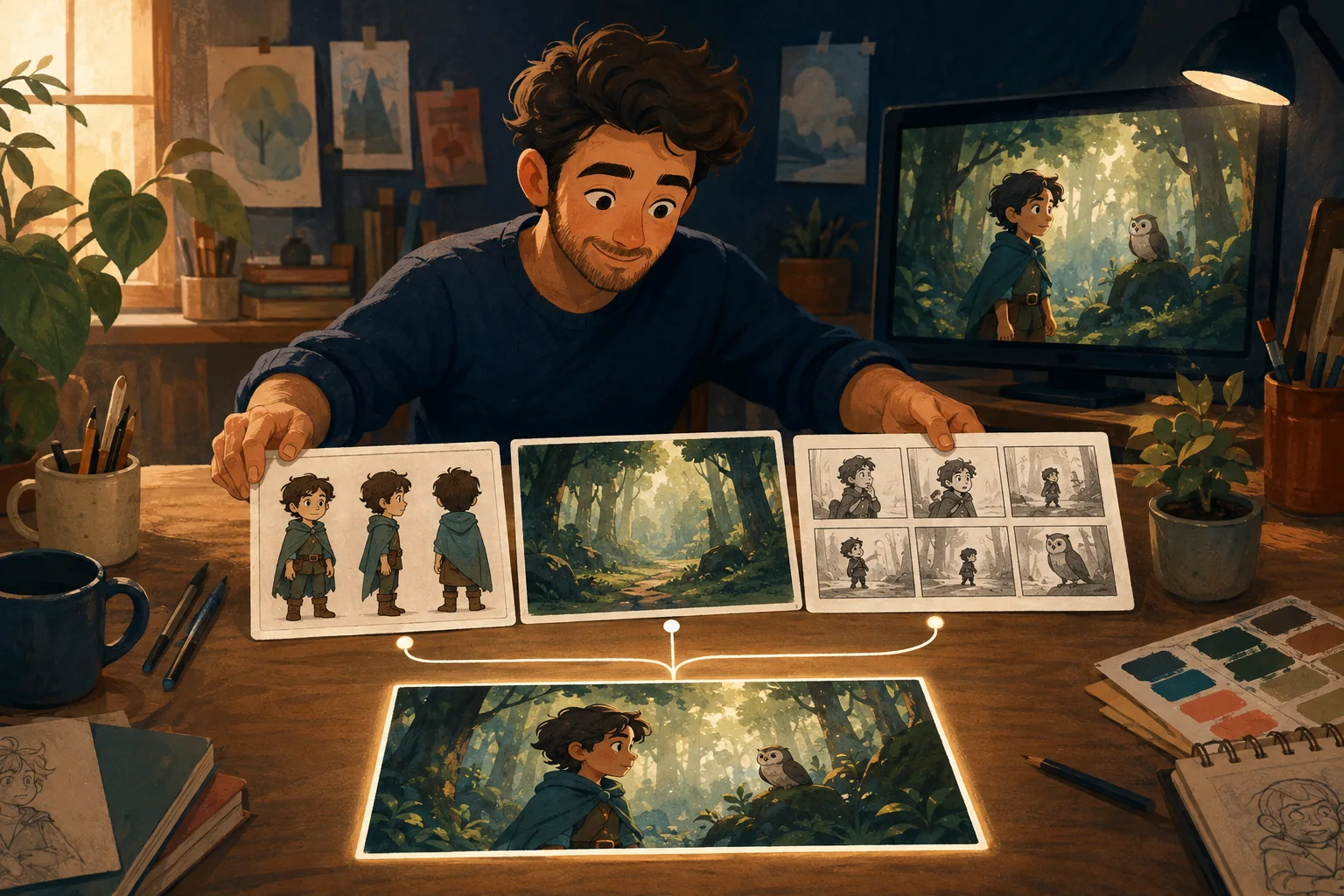
A cartoon-production workflow has to manage a sequence:
story → characters → locations → shots → scenes → revisions → connected cartoon
The underlying generation model can be excellent in both cases.
The production problem is different.
When a general AI video generator is enough
Suppose you need:
- a five-second visual;
- a single establishing shot;
- a product mood clip;
- one social post;
- a background animation;
- an experimental idea.
You may not need a production system.
Write the instruction.
Generate the clip.
Choose the best result.
Done.
There is no reason to add complexity where the job does not require it.
What changes when the clip becomes a story
Now imagine a three-minute cartoon.
Your hero appears in 18 shots.
The bedroom appears four times.
A red bicycle introduced in scene two matters again in scene eleven.
The hero changes clothes only after arriving home.
Scene nine needs to be redone, but scenes one through eight are already approved.
The problem is no longer:
Can the model generate a nice video?
It is:
Can I keep all these decisions connected while I finish the story?
That is where production structure starts to matter.
Difference 1: A cartoon needs persistent characters
A one-off video only needs a character to look right once.
A story needs recognition.
The hero should still look like the hero:
- from another angle;
- in another room;
- during another action;
- after several scenes;
- when you regenerate one weak shot.
Current character-consistency workflows commonly rely on stable visual references because repeating a text description alone can produce another valid but different identity.
A cartoon-oriented workflow should make that continuity easier to manage.
Difference 2: A cartoon has a world
Locations are not disposable backgrounds when they recur.
If the family kitchen appears in scenes one, six and twelve, viewers should recognize it.
The same applies to:
- vehicles;
- important props;
- costumes;
- brand mascots;
- visual style.
A general generator can create each one.
A production workflow has to remember which version belongs to this project.
Difference 3: A cartoon has sequence logic
A beautiful scene can still be the wrong scene.
Suppose the character enters the house in shot six.
Shot seven cannot casually place them back outside unless the story explains why.
Production involves relationships between scenes:
- what happened before;
- what the viewer knows;
- where the character is;
- what they are wearing;
- what they are carrying;
- what emotion continues into the next moment.
That logic exists above the generation model.
Difference 4: Revisions need boundaries
This is one of the least glamorous and most important differences.
Scene ten is wrong.
What happens now?
In a fragile workflow, changing scene ten can mean:
- finding old prompts;
- finding reference images;
- rebuilding settings;
- remembering which character version was approved;
- trying not to disturb everything else.
In a structured project, the goal is simpler:
keep what is approved; change what failed.
That is how conventional production works too.
Not because it is old-fashioned.
Because rebuilding finished work is expensive.
Difference 5: The user needs to know what comes next
A blank prompt box gives freedom.
It also assumes you know what to ask for.
Beginners making their first cartoon may not know that they should establish a character before generating twelve scenes.
They may not know when to write dialogue.
They may not know how to turn a story paragraph into shots.
They may not know which details need continuity.
A guided cartoon maker can reduce that cognitive burden by making the production sequence visible one decision at a time.
AI cartoon maker vs AI video generator
Need General AI video Guided generator cartoon-production workflow
One independent clip Strong fit Can be unnecessary
Multi-scene story Requires more manual Core use case organization
Recurring characters Depends heavily on Should be part of tool/reference workflow project continuity
Recurring locations Often managed manually Can be treated as reusable project assets
Story/script planning Often external Can be integrated into workflow
Shot planning Often external/manual Can be guided
Scene revisions Clip-focused Should preserve approved project state
Beginner guidance Varies Central to the product concept
This is not a quality ranking.
A general generator may produce an outstanding individual clip.
The question is whether the surrounding workflow matches the job you are trying to finish.
Which one should you use?
Choose a general AI video generator when:
- the output is short and independent;
- continuity does not matter much;
- you already have your own production system;
- you mainly need access to a specific generation capability.
Choose a cartoon-production workflow when:
- the same characters return;
- the story spans multiple scenes;
- you want recurring locations or props;
- revisions need to stay controlled;
- you do not want to organize the whole pipeline yourself;
- you plan to make another episode afterward.
Why this matters more as AI generation improves
Better generation does not remove production.
It changes where the work happens.
When individual scenes become easier to create, the remaining difficulty becomes more visible:
Which scene should we make? Which character is approved? What comes next? Does this connect? What needs fixing?
The model creates material.
The production system turns material into a project.
Where MyToonMaker fits
MyToonMaker is designed for the second job.
Its positioning is Guided Cartoon Production: help an ordinary creator move from an idea through the production decisions needed for a connected cartoon.
It does not need to replace every general video generator use case.
It needs to make the multi-scene cartoon workflow simpler.
If your goal is a whole story rather than another disconnected clip, Start Your Cartoon.